Tools I built for artists

Tech Art Lab

Unity editor tools from The Rusted, shown as small working demos. Try them.

Editor tool · Depth

Sorting Tool

The Rusted

Splits a scene into depth zones on Z and sets Sorting Layer and Order in Layer from position, so sprites follow shared rules instead of hand-typed numbers.

What it solves

Sprites get their layer and draw order from shared depth rules, so nobody sets them one by one.

Z-range zonesWeighted Z + XPer-zone materialsScene View gizmosLive update
Game view

Loading…

Top view (X–Z)

Inspector

X
Z
Zone
Sorting Layer
Material
Order in Layer
Weights (Z · X)
10000 · 10

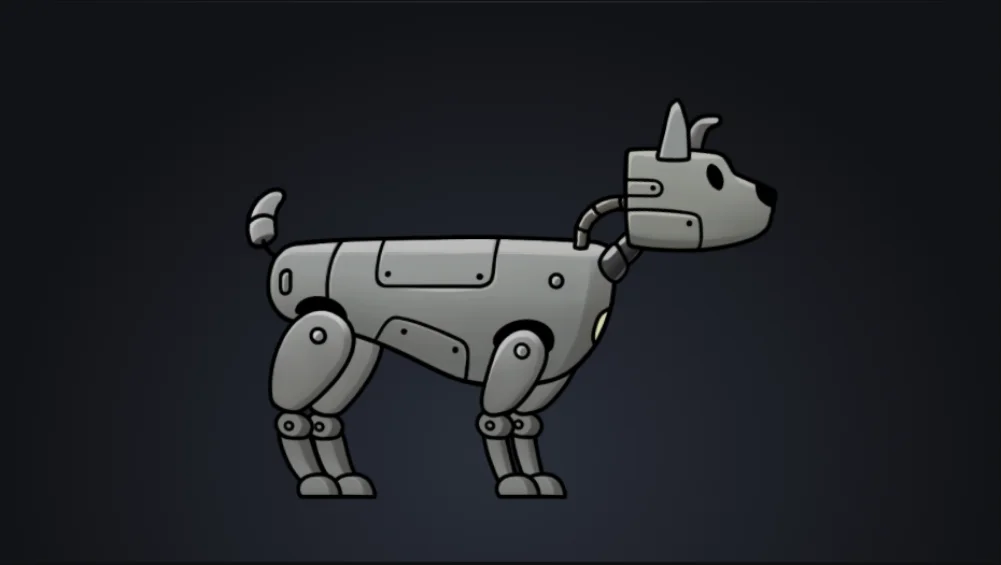
REX is on the Character layer; the tool does not sort him. Anything at Z ≤ 0 draws in front of him.

Drag a prop on the top view, or select it and use the arrow keys. X and Z are relative to the Sorting Layer Manager.

Editor tool · Rendering

Blur Studio 2D

The Rusted

Bakes blur into new sprites by Z or Sorting Order, with padding, halo fixes and sliced-border support, then re-assigns them in the scene.

What it solves

Blurred sprites are regenerated inside Unity with the same settings and assigned back to the scene objects.

GaussianReads All In 1Auto paddingBatch output
SourceProcessed

Drag the divider. Turn Anti-halo off to see the dark edges. The ground and cables in front always stay sharp.

Layers · material intensity, sigma

    Editor tool · Animation

    Spine–VFX Animation Tool

    The Rusted

    Links Spine animations to particle systems in the Inspector. Effects fire on start, run for the animation's length or trigger on Spine events, with camera shake and FOV beside them.

    What it solves

    Effects are linked to animations in the Inspector, so no separate trigger code is needed for each animation.

    Per-animation VFXSpine eventsTrack selectShake + FOV
    REX from The Rusted, standing idle
    FOV 60.0

    SpineAnimationVfxController

    • mana-load-loop → VFX_Heal · While playing
    • Shake: Heal
    • FOV 60 → 55 · enter 5/s · exit 10/s

    Timeline

    Editor tools · Pipeline

    Spritesheet Generator + Animation Creator

    The Rusted

    Loose frames in, sliced sheet and Animation Clip out. Order, cell size, pivot, PPU and FPS are set in one place.

    What it solves

    Frames are combined, ordered, sliced and turned into an Animation Clip inside Unity, without slicing by hand.

    Natural sortAuto cell sizeAuto sliceFPS + loop

    1Frames

    24 frames

    2Sheet

    Spritesheet Generator packs the separate frames into one sheet.

    3Clip

    DIR 01/1601/24

    Sprite Animation Creator slices the sheet into Animation Clips.

    More tools and shaders

    Editor tool · Rendering

    Gaussian Blur Baker

    The Rusted

    First version of Blur Studio. It bakes Gaussian blur into new sprite textures, with sigma taken from Z, Sorting Order, a material value or a fixed number, and can swap them onto the scene's sprites. Blurred sprites could be regenerated inside Unity with the same settings.

    Sigma by Z / orderAlpha strategyDry runScene bake
    Editor tool · Rendering

    All In 1 Blur Baker

    The Rusted

    Reads the blur amount set in the All In 1 sprite shader and bakes it into a new texture for each sprite, for the open scene, the build scenes or a single SpriteRenderer. It turns a blur set on a material into a baked image.

    Reads All In 1Per scenePer spriteRadius 2–64 px
    Editor tool · Pipeline

    Assign Baked to Selection

    The Rusted

    Finds the baked PNG for each selected SpriteRenderer by name and sigma and puts it back as a new sprite with the same pivot and pixels per unit. It removes the step of re-assigning baked sprites one by one. It was later removed from the project when the newer blur tools replaced it.

    SpriteRendererKeeps pivot + PPUPer selection
    Shaders · Rendering

    Bloom & glow shaders (URP 2D)

    The Rusted · Gold Miner

    A set of URP 2D shaders that add glow or emission to sprites and particles so Bloom picks them up, plus a tint overlay that backs off over bright areas so it does not dim the bloom. Glow strength is set per material in the Inspector.

    2D GlowEmissive spriteParticle emissiveBloom FriendlyShader Graph + HLSL
    Shaders · UI

    UI glow & text blur shaders

    The Rusted

    A UI glow shader with exposure, luma compression and white protection controls to match a glow designed in Illustrator, and a TextMesh Pro shader that draws a Gaussian blur shadow behind text, driven by a small component. UI glow and soft text shadows are tuned in Unity.

    Illustrator-style glowTMP shaderGaussian shadowUI mask support
    Editor tool · UI

    UI Shake Animator

    The Rusted

    Shakes a UI element with set duration, speed, strength on each axis and smoothness, from code or from a Shake button in the Inspector. Hit feedback can be tuned without entering Play mode.

    Inspector previewStrength X / YSmoothnessUnscaled time
    Editor tool · Level design

    Level Selector

    The Rusted

    Adds a dropdown to the Inspector that lists the levels from the scene's LevelManager and swaps the level in the scene, optionally moving the player and demo camera to the first gate. Jumping to any level to check it no longer means placing prefabs by hand.

    Inspector dropdownPrefab swapMoves player + camera